
Signals & CTAs
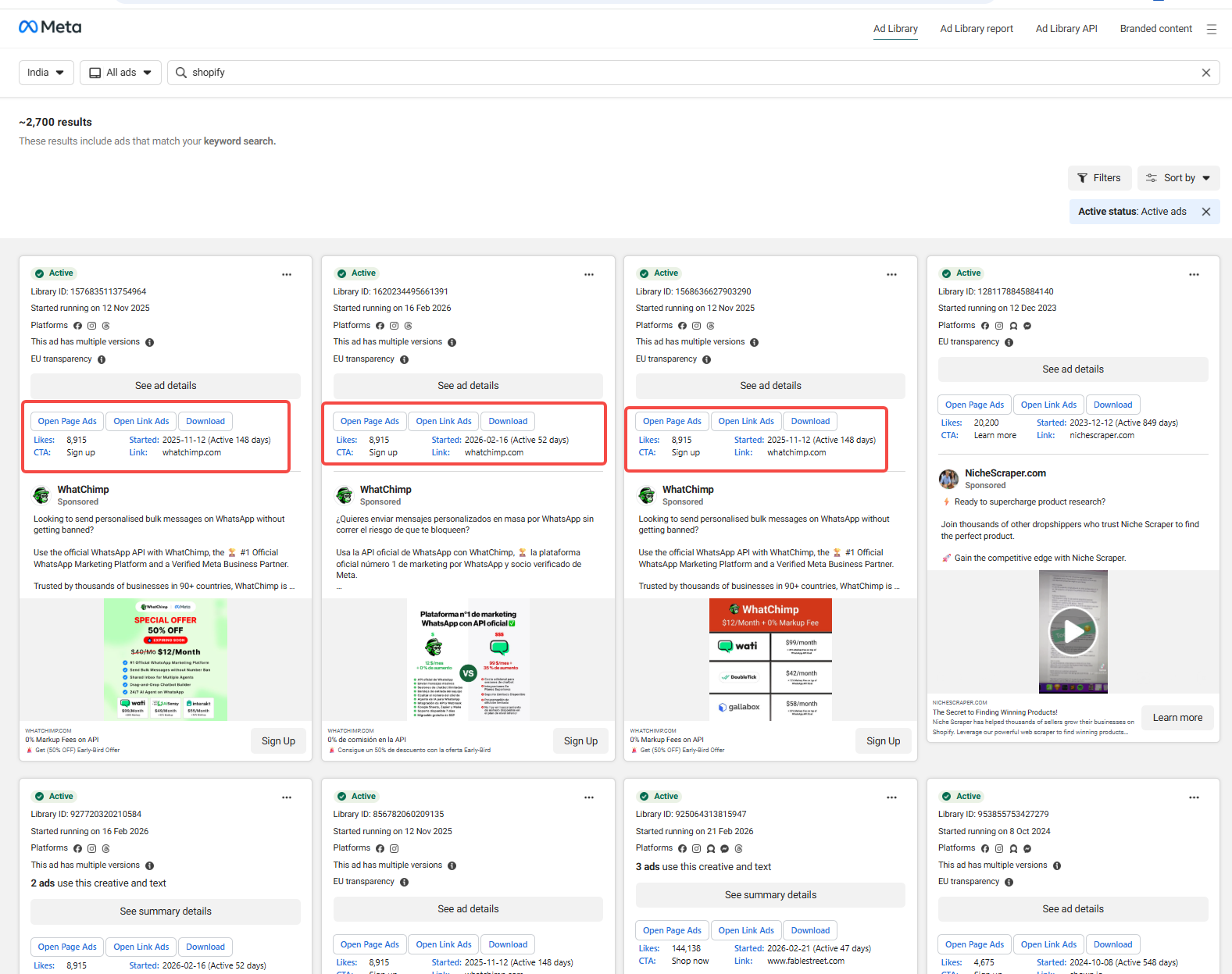
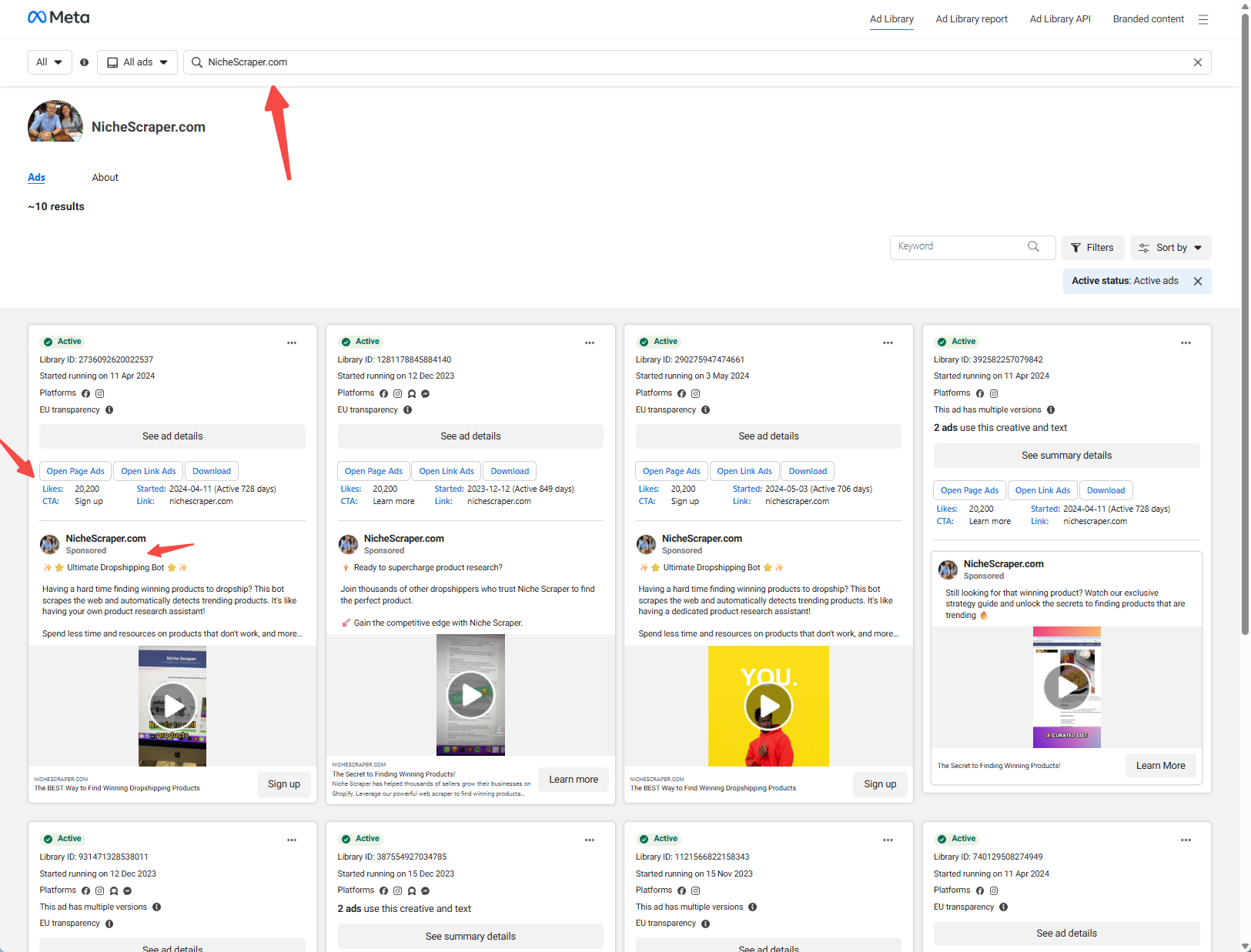
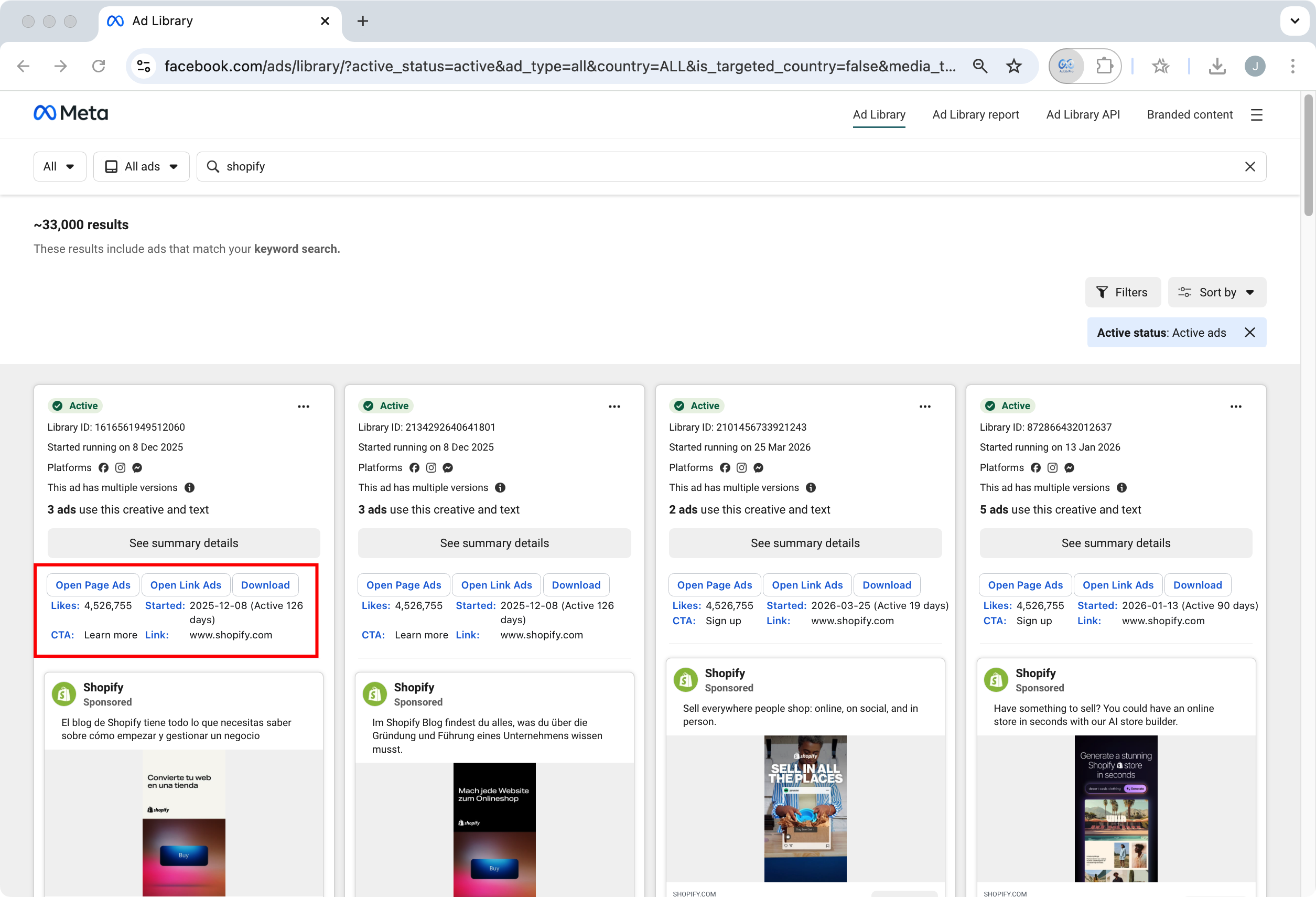
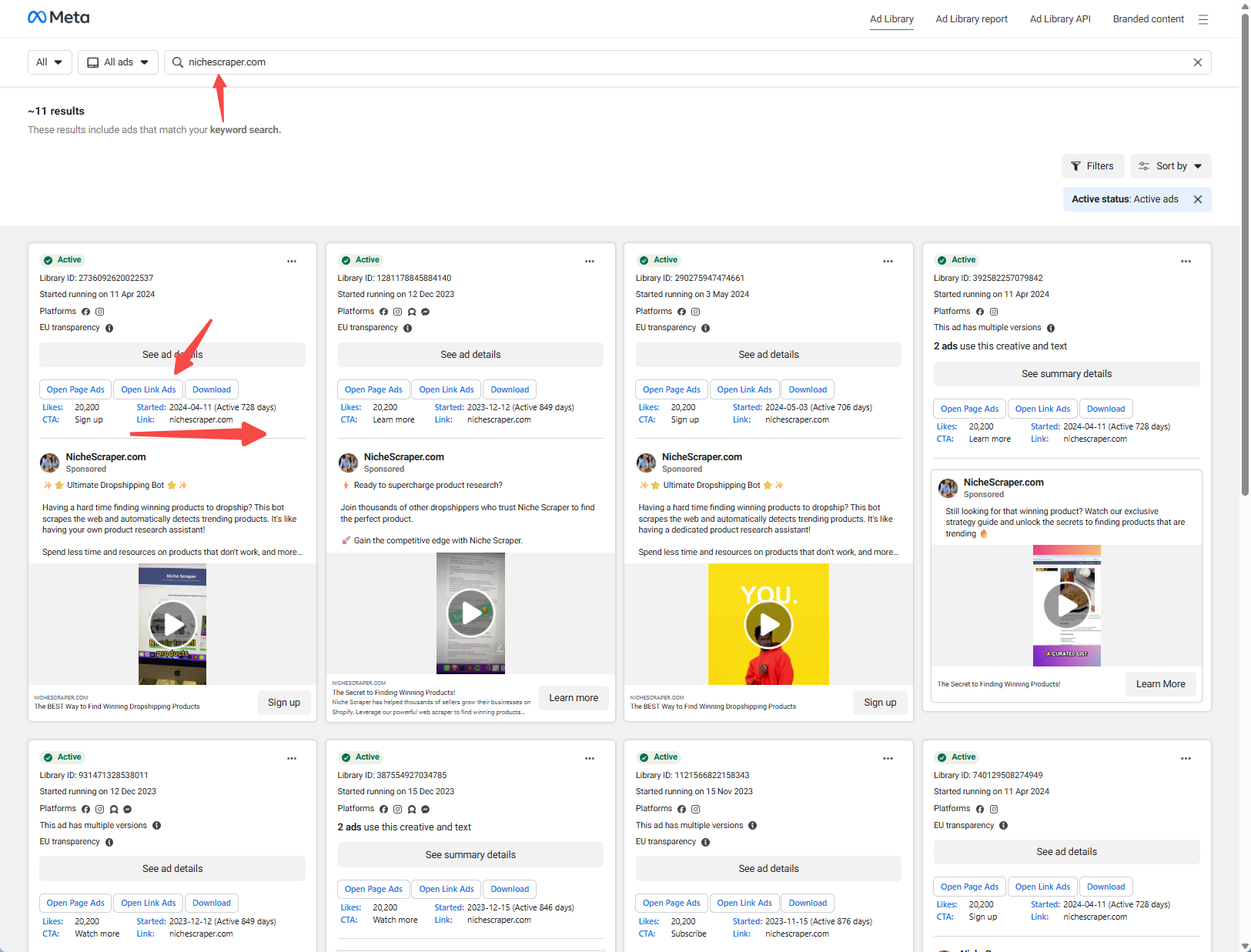
See public engagement cues and the CTA type used in the ad (for example, Sign up or Shop now) directly in the grid.
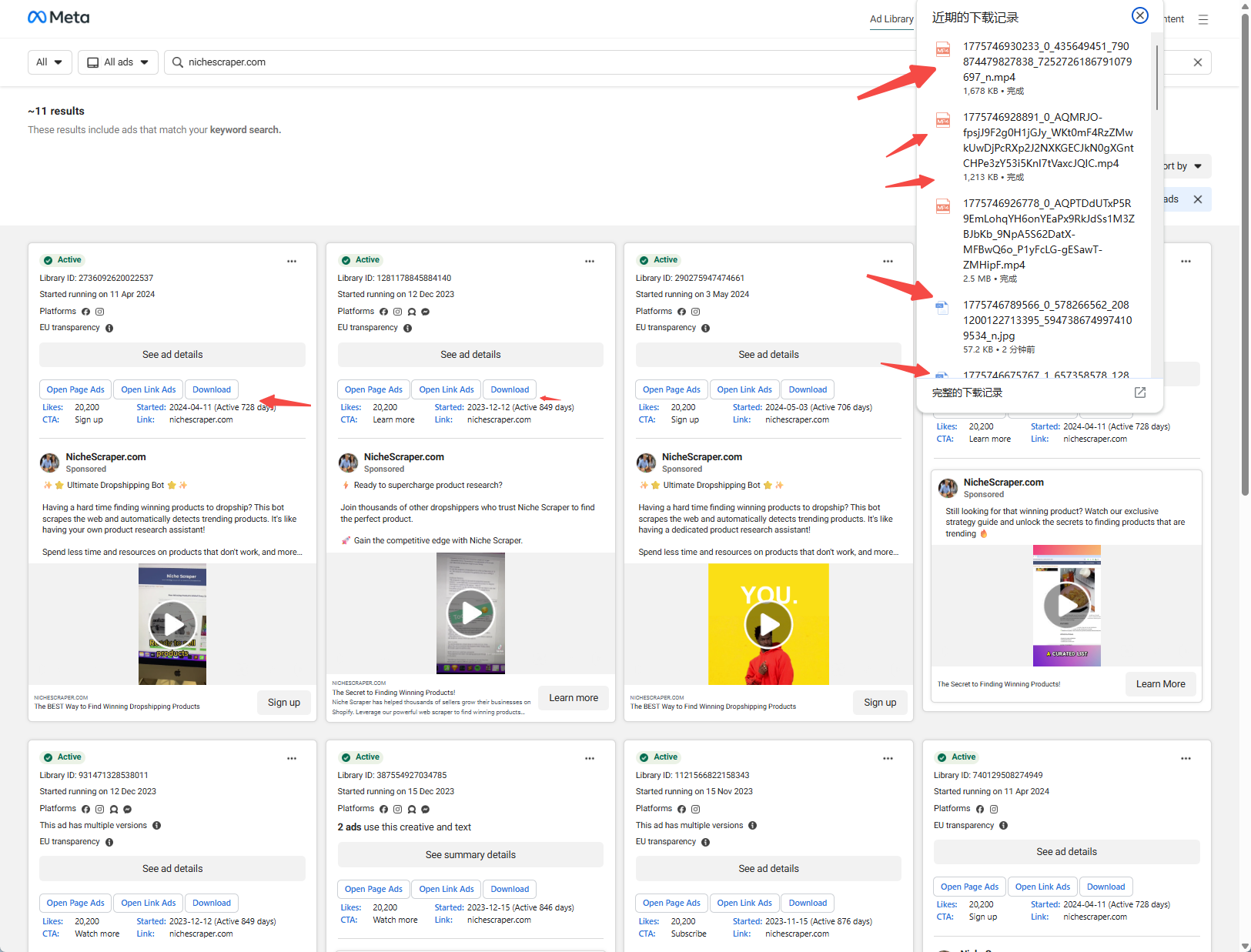
AdLib Pro overlays each ad card with a clear panel: engagement signals, call-to-action (CTA) labels, start date and active duration, and destination context—with one-click downloads for images and videos. Spend less time opening “Ad details” and more time deciding what to test next.
Works in Chrome, Edge, and other Chromium browsers via “Load unpacked” (developer mode).
When you research creatives and competitors on the public library, keep focus on judgment—not repetitive clicks and copy-paste.
See public engagement cues and the CTA type used in the ad (for example, Sign up or Shop now) directly in the grid.
Start dates and active-day counts help you spot long-run “winners” versus short tests.
Surface destination links and domains on the card, with shortcuts to continue research by page or URL.
Download images and videos for internal review workflows (always comply with Meta’s terms, copyright, and your own policies).
Lightweight injection that stays visually aligned with the Ad Library and preserves readability.
Distribute via ZIP for teams that need a fixed build and controlled side-loading.
First-time users may want to try a dedicated browser profile.
Click Download on this site and save adlibpro-web-extension.zip locally.
Extract the archive to a stable path. You should see the extension manifest and related files—do not delete individual files.
Open chrome://extensions in Chrome and turn on Developer mode (top right).
Choose Load unpacked and select the extracted extension root folder. Then visit facebook.com/ads/library to use AdLib Pro.
Representative screenshots; exact fields may vary by Meta UI changes and extension version.
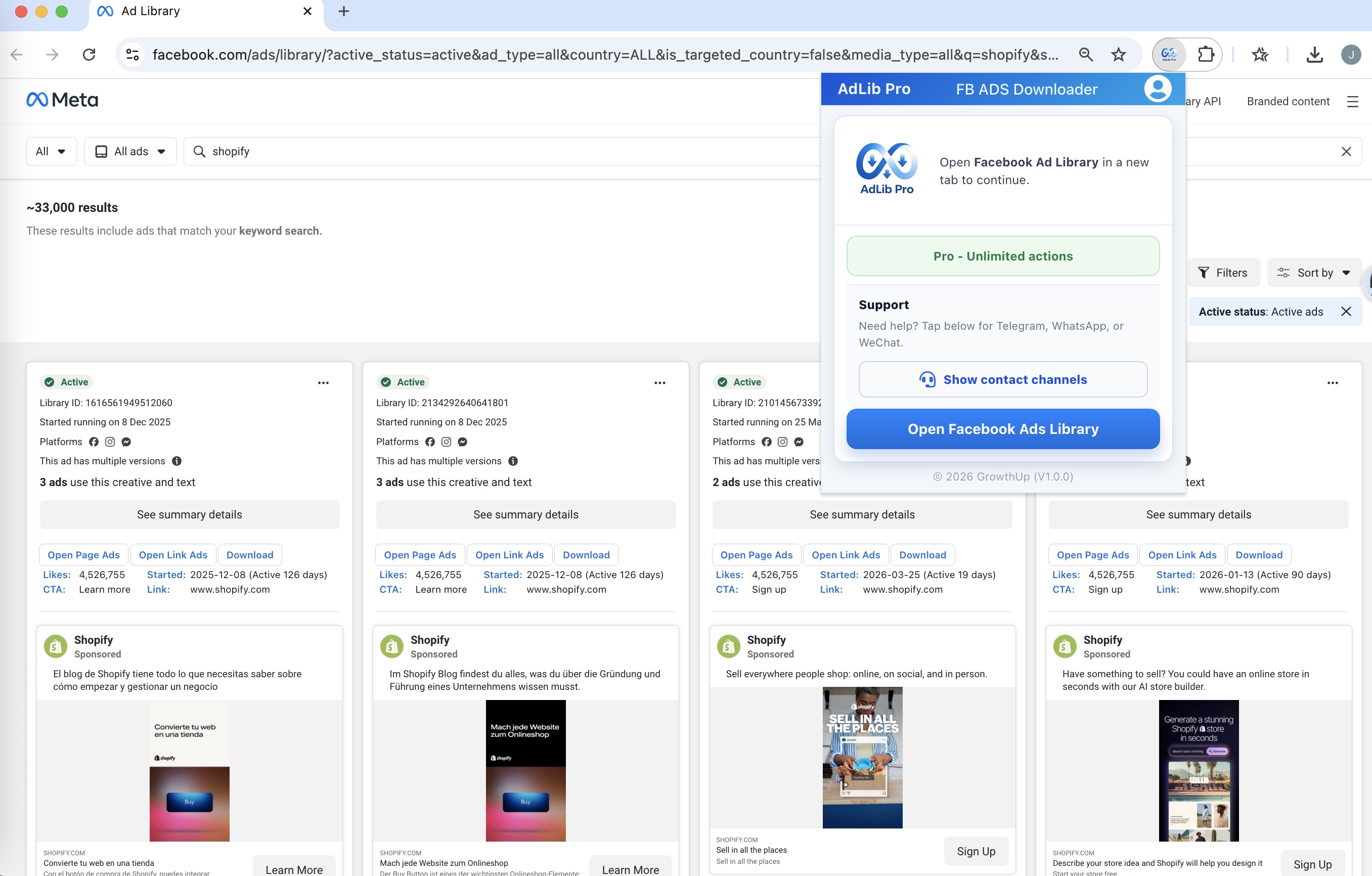
Get the latest ZIP, unzip it, and load the folder in your browser. If you distribute internally, verify integrity using your organization’s approved process.
Download adlibpro-web-extension.zipScan a QR code to connect with us on your preferred channel.
@YEXL1123
WhatsApp Support

WeChat Support
Common questions about installation and behavior.